


レーザーメーカーのチュートリアル
LaserMakerソフトウェアガイドに従って、デザインのインポート、パラメーターの設定、ジョブのプレビュー、および自信を持ってレーザー処理を開始する方法を学びます。 カット、彫刻、マーキングでより良い結果を望む初心者や専門家のために建てられました。
あなたは何を探していますか のために?
制品、ブログ投稿、サポートコンテンツ、およびリソース全体を検索します。

レーザーメーカーのチュートリアル
LaserMakerソフトウェアガイドに従って、デザインのインポート、パラメーターの設定、ジョブのプレビュー、および自信を持ってレーザー処理を開始する方法を学びます。 カット、彫刻、マーキングでより良い結果を望む初心者や専門家のために建てられました。

調整ツール
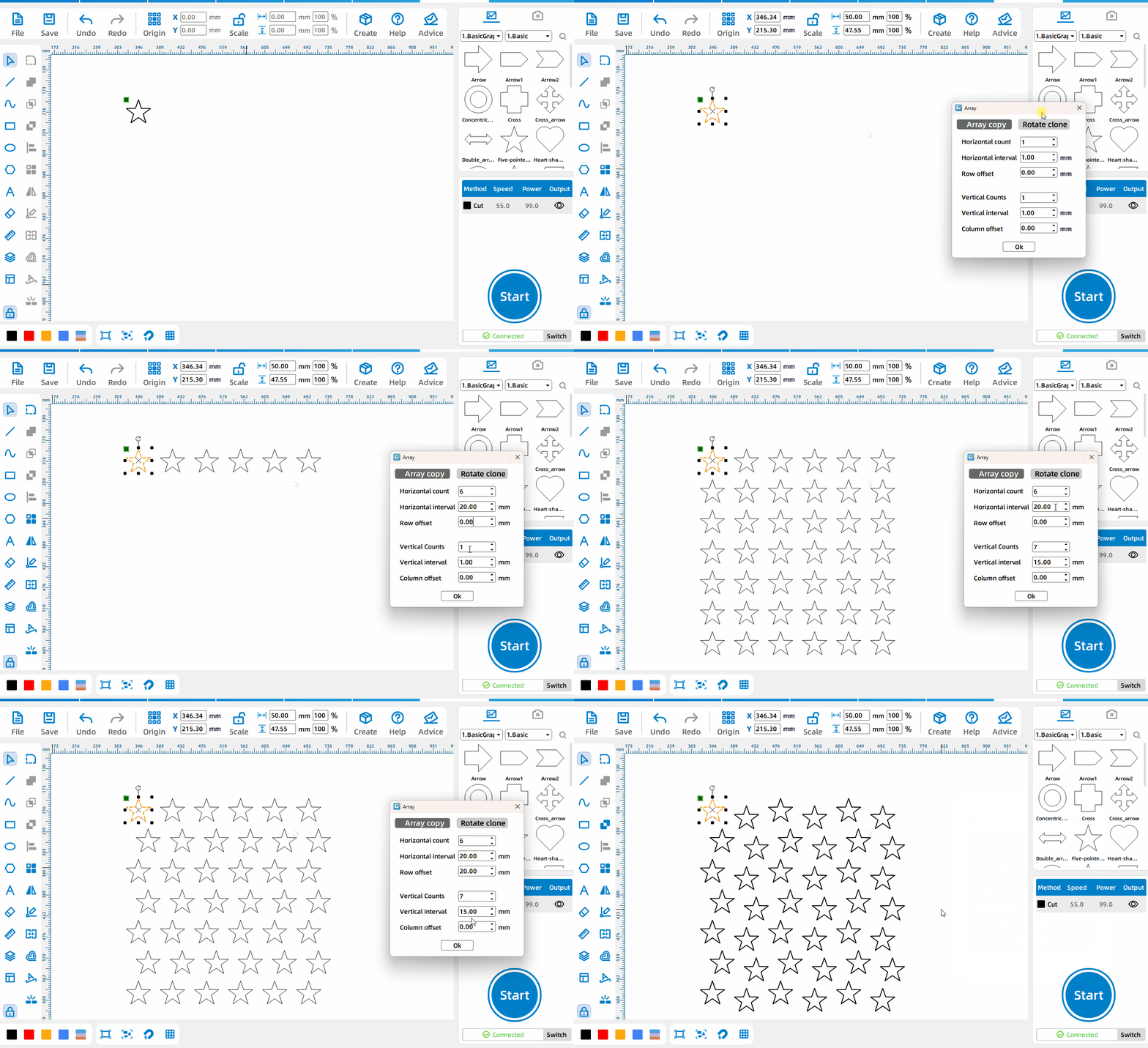
グリッド配列
[長方形配列] モードを選択し、パラメーターを設定します。ここで、 [水平数] は配列の背後にある水平要素の総数、 [水平間隔] は2つのプリミティブ間の間隔、 左のプリミティブの右端と右の画像です。要素の左端までの距離 [代替行のオフセット] は、最初の行と最初の行の水平方向の開始位置との間のオフセット距離です。 他のすべての行にオフセットがあります。[垂直数] は配列の後の垂直方向です。ピクセルの総数、 [垂直間隔] は2つのプリミティブ間の間隔であり、前のプリミティブの下部と次のプリミティブの上部の間の距離です。 [列オフセット] は、最初の列と2番目の列です。垂直方向の開始位置のオフセット距離は、他のすべての列にオフセットがあります。
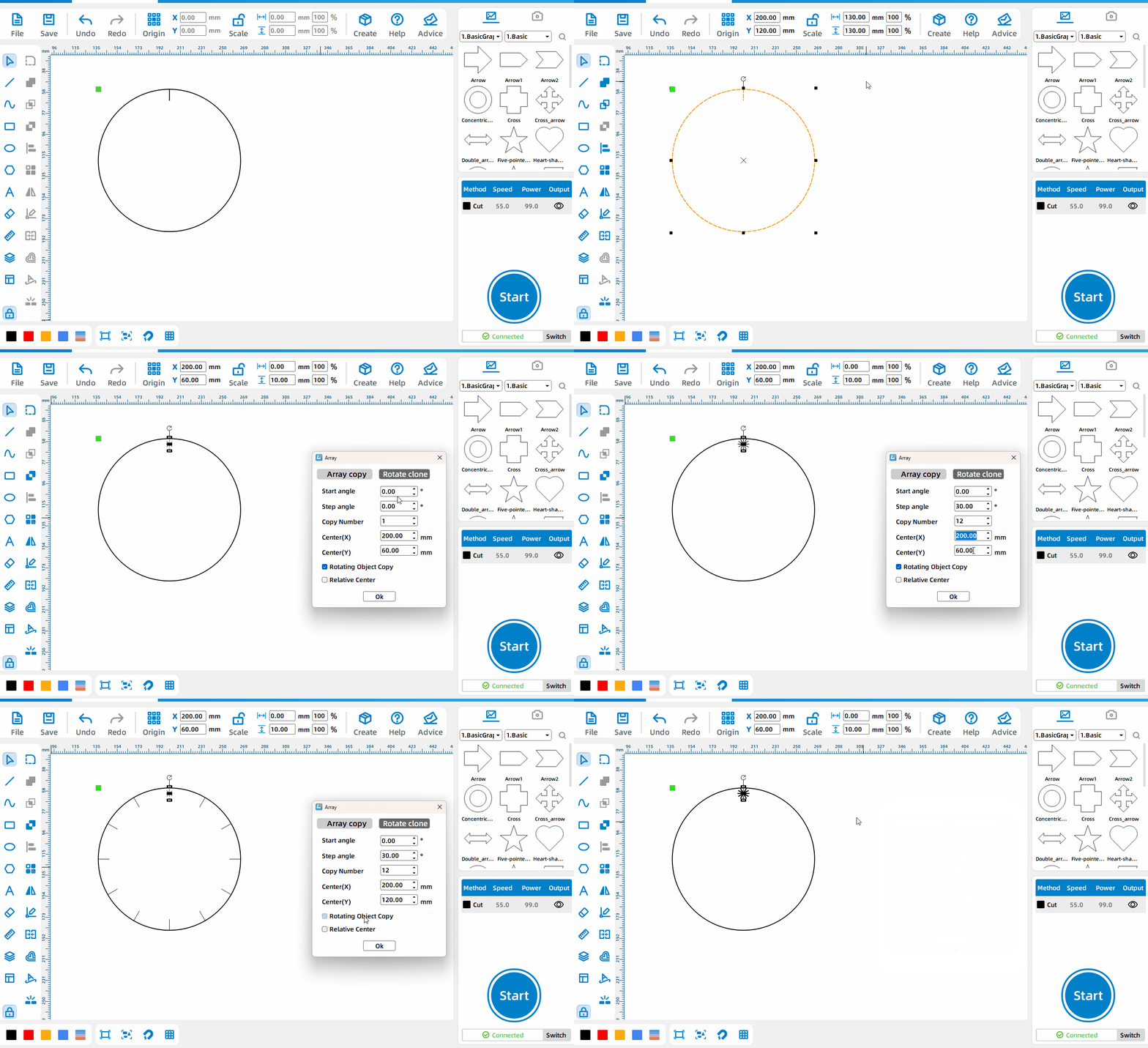
円形アレイ
Select [円形アレイ] mode and set parameters, where [Start Angle] is the angle between the original primitive and the first primitive obtained from the array in addition to [Array Angle], and [Array Angle] is the angle obtained by each array. The spacing angle between the primitives, [Number of Copies] is the total number obtained after the array, check [Relative Center], and the [Center x] and [Center y] set at this time are the xy coordinates relative to the original primitives , uncheck [Relative Center], the [Center x] and [Center y] set at this time are the xy coordinates relative to the upper left corner of the canvas, and [Rotate copy object] is to rotate the primitives obtained from the array at the array angle.


 安定性と一貫性に優れたマシン幅広い用途充実したアフターサービス工場直販