


レーザーメーカーのチュートリアル
LaserMakerソフトウェアガイドに従って、デザインのインポート、パラメーターの設定、ジョブのプレビュー、および自信を持ってレーザー処理を開始する方法を学びます。 カット、彫刻、マーキングでより良い結果を望む初心者や専門家のために建てられました。
あなたは何を探していますか のために?
制品、ブログ投稿、サポートコンテンツ、およびリソース全体を検索します。

レーザーメーカーのチュートリアル
LaserMakerソフトウェアガイドに従って、デザインのインポート、パラメーターの設定、ジョブのプレビュー、および自信を持ってレーザー処理を開始する方法を学びます。 カット、彫刻、マーキングでより良い結果を望む初心者や専門家のために建てられました。
おすすめのツール
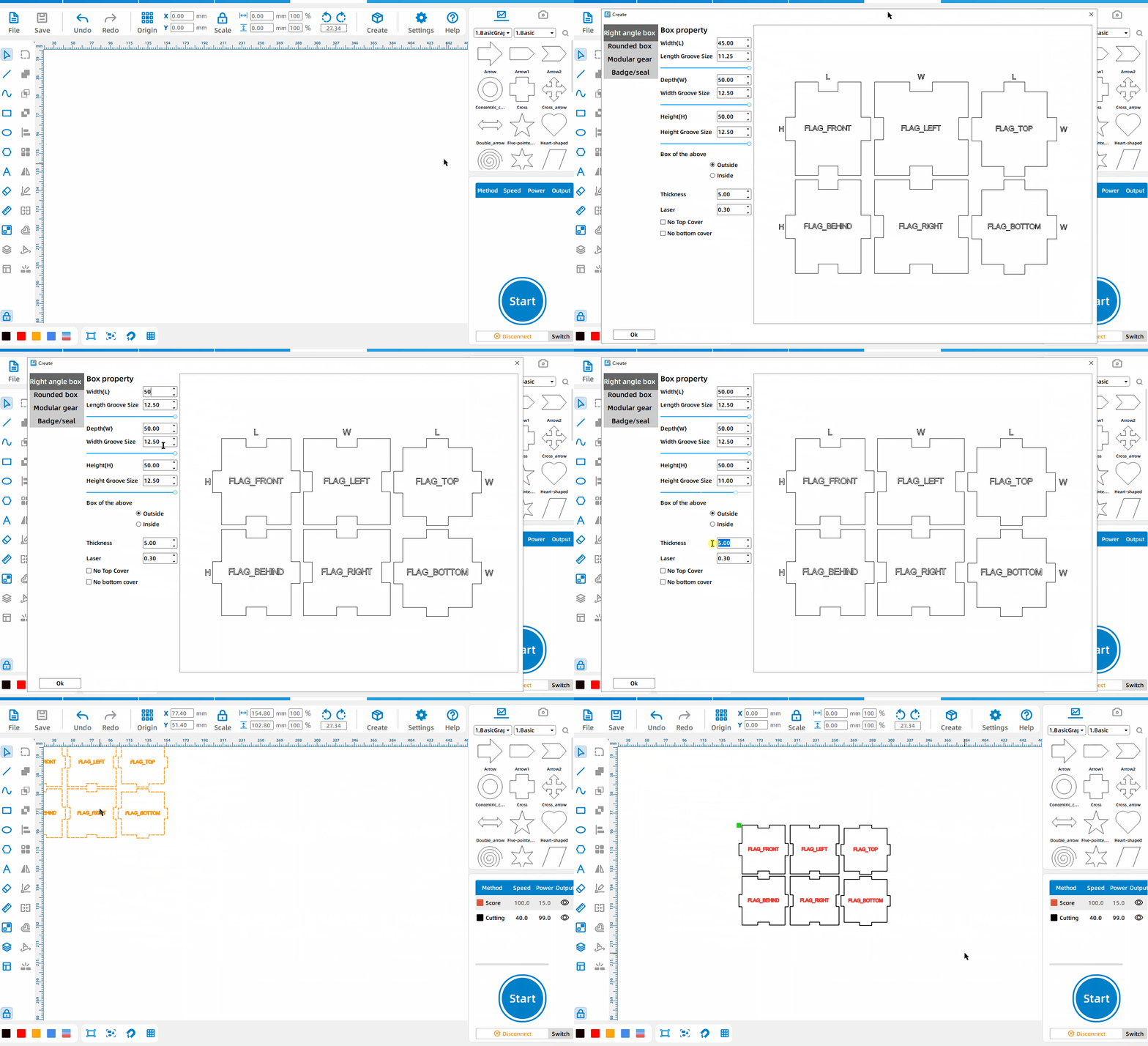
直角ボックス
[作成] を左クリックし、 [長方形ボックス] を選択し、長さ、幅、高さ、溝のサイズ、材料の厚さを設定します。
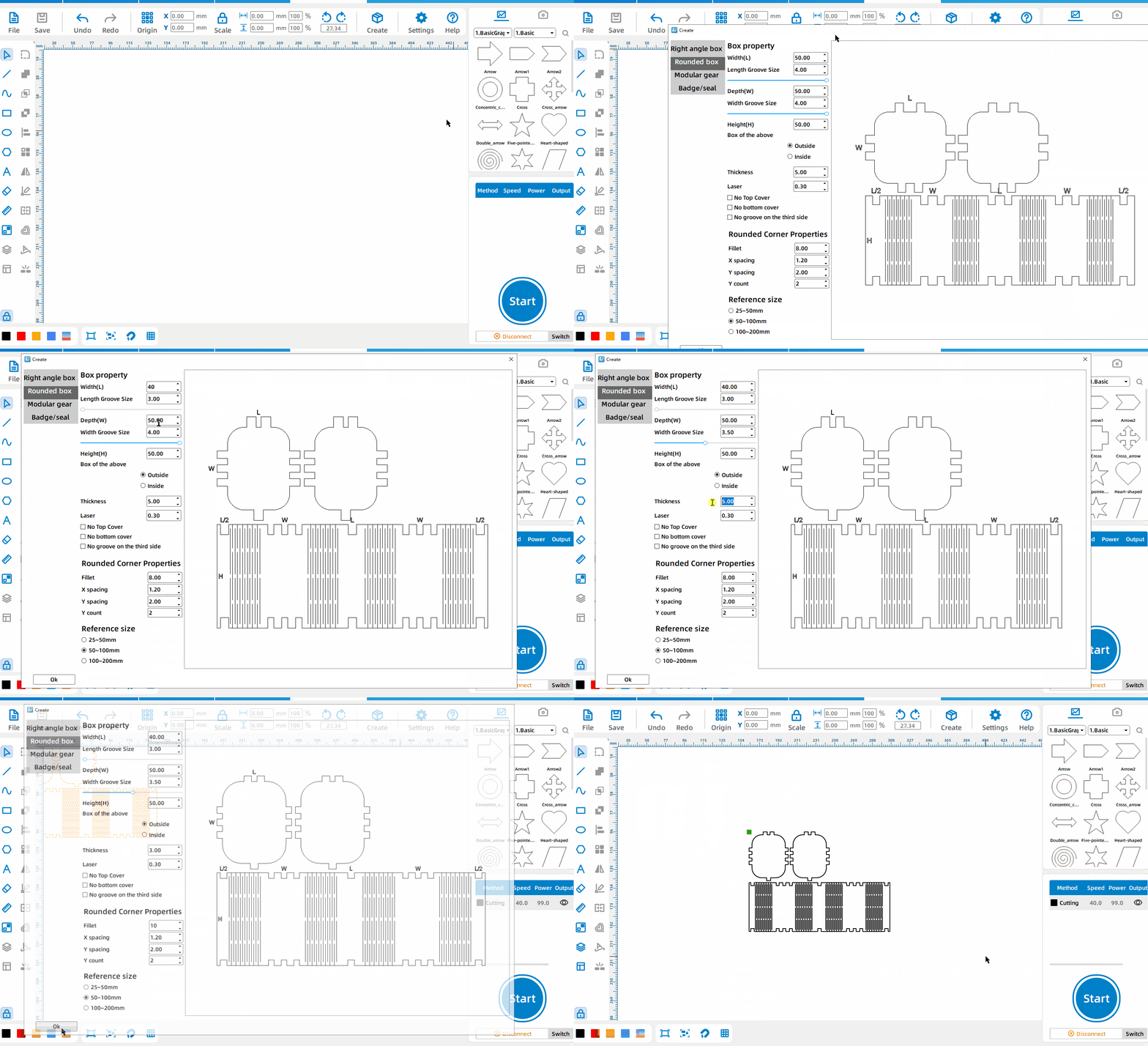
丸みを帯びたコーナーボックス
Left-click the [Create], select [丸みを帯びたコーナーボックス], set the length, width, height, groove size, material thickness, and rounded corner properties.
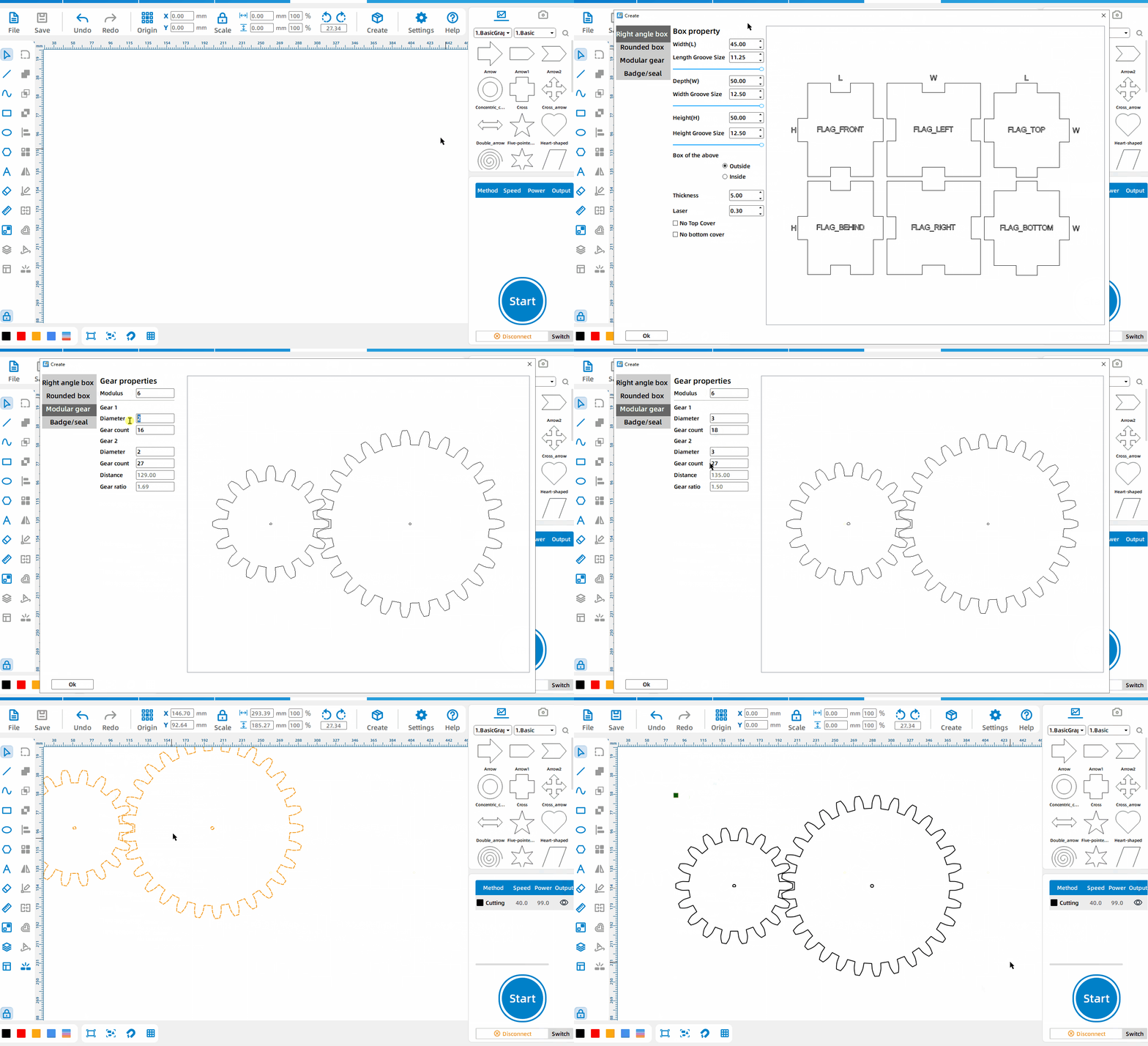
モジュラスギア
Left-click the [Create], select [モジュラスギア], set the modulus, the diameter of the two gears and the number of gears.
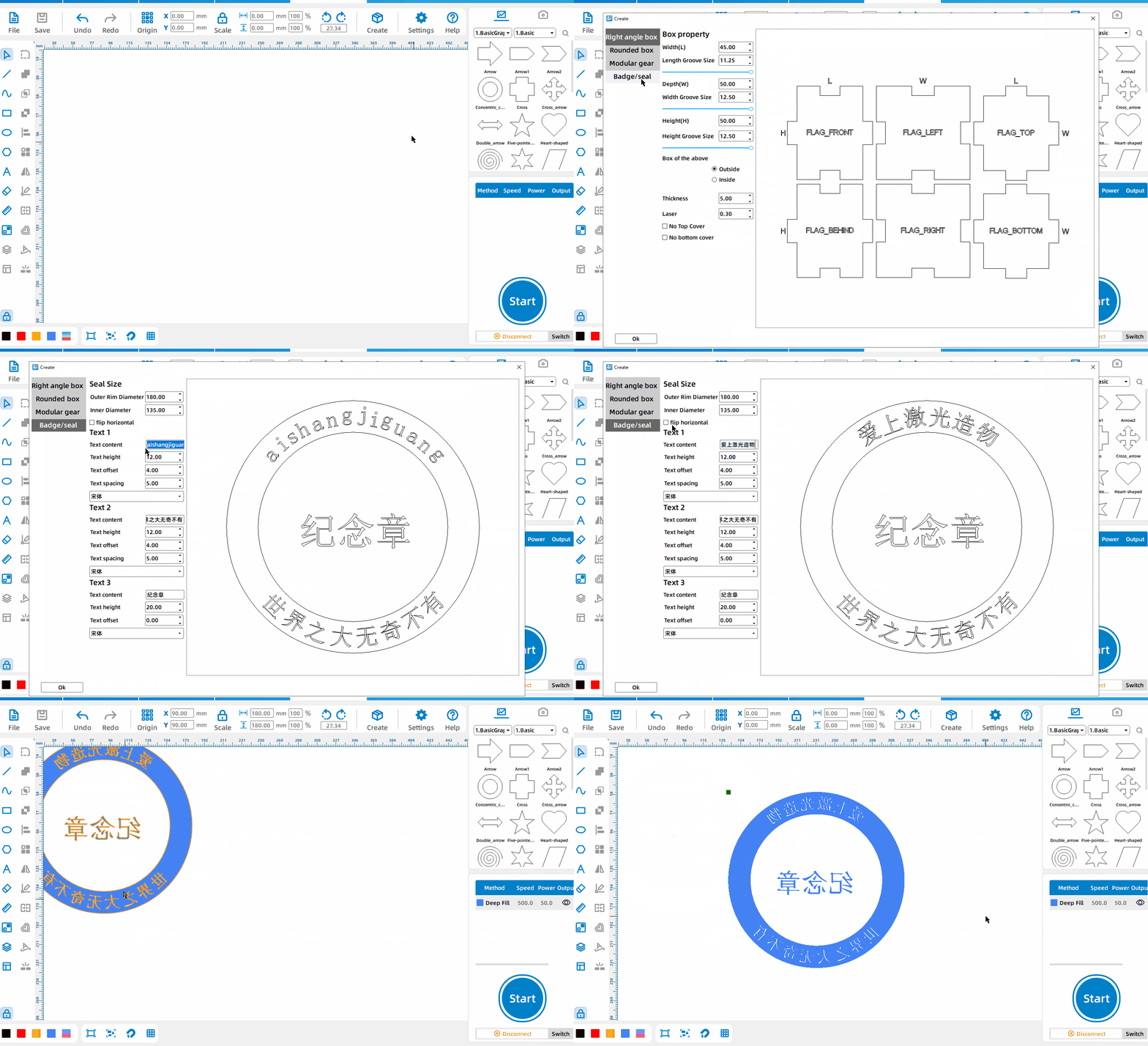
バッジ/シール
Left-click the [Create], select [バッジ/シール], and set three text contents; the default is badge, click [Flip Horizontal] to turn it into a seal.


 安定性と一貫性に優れたマシン幅広い用途充実したアフターサービス工場直販