


レーザーメーカーのチュートリアル
LaserMakerソフトウェアガイドに従って、デザインのインポート、パラメーターの設定、ジョブのプレビュー、および自信を持ってレーザー処理を開始する方法を学びます。 カット、彫刻、マーキングでより良い結果を望む初心者や専門家のために建てられました。
あなたは何を探していますか のために?
制品、ブログ投稿、サポートコンテンツ、およびリソース全体を検索します。

レーザーメーカーのチュートリアル
LaserMakerソフトウェアガイドに従って、デザインのインポート、パラメーターの設定、ジョブのプレビュー、および自信を持ってレーザー処理を開始する方法を学びます。 カット、彫刻、マーキングでより良い結果を望む初心者や専門家のために建てられました。
おすすめのツール
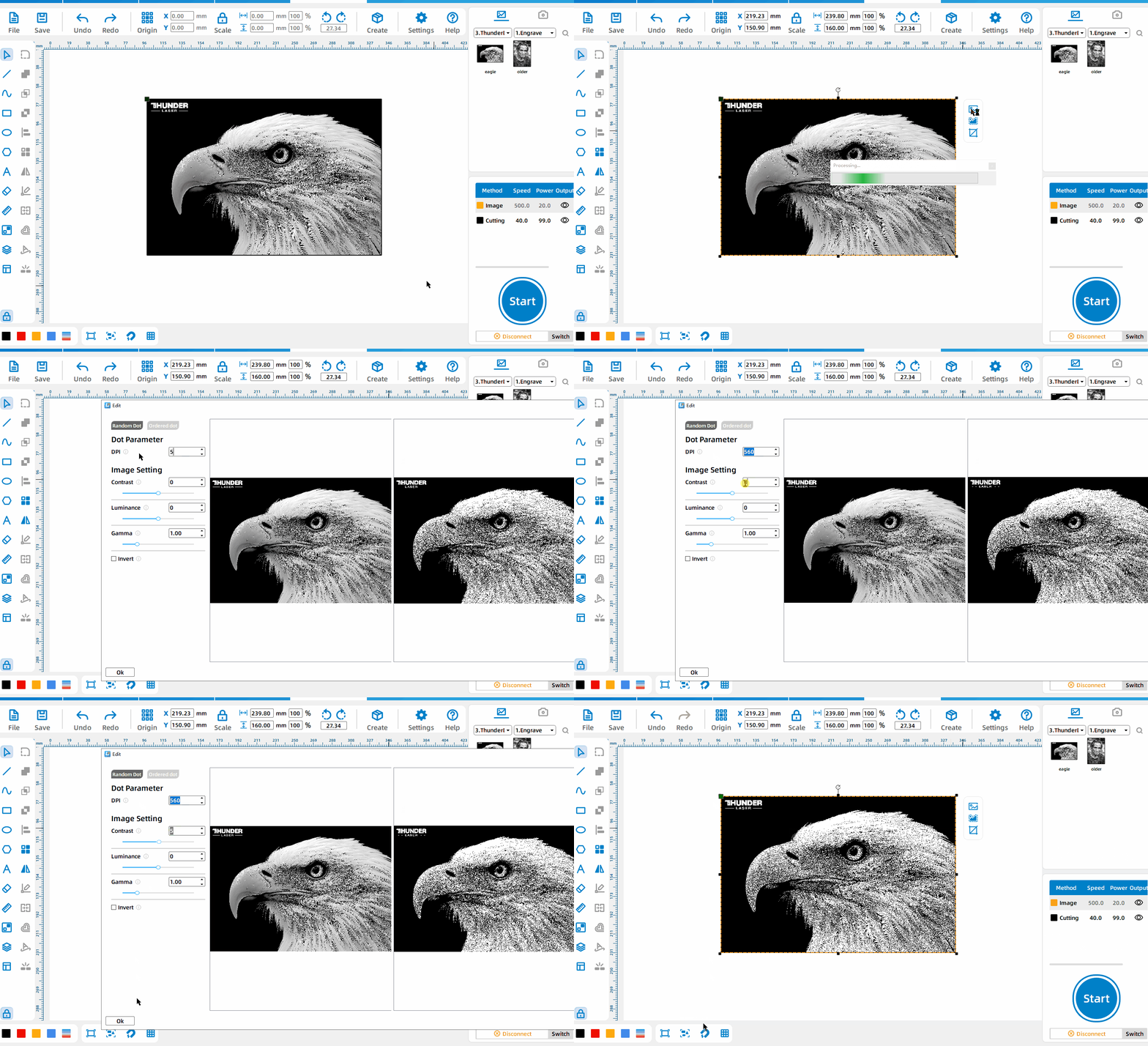
イメージ操作
Left-click the image, select [イメージ操作], and set the dot matrix parameters and image parameters.
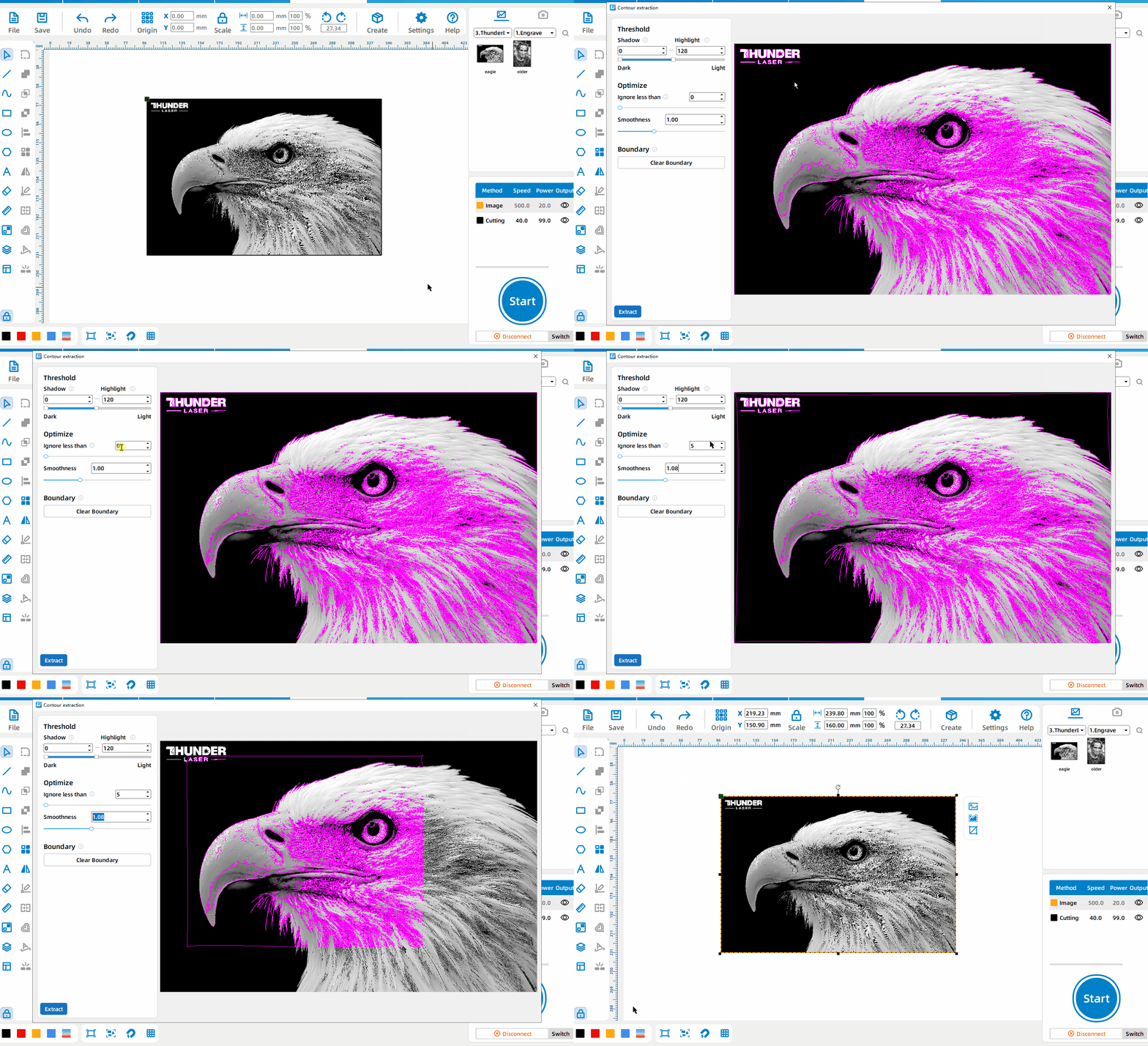
画像抽出
Left-click the image, select [画像抽出], set the boundaries between dark and bright areas, ignore small areas, and curve smoothness; press and drag the left mouse button to select the image area to be extracted, and click [Cancel Selection] to restore the extraction of the entire image.
画像作物
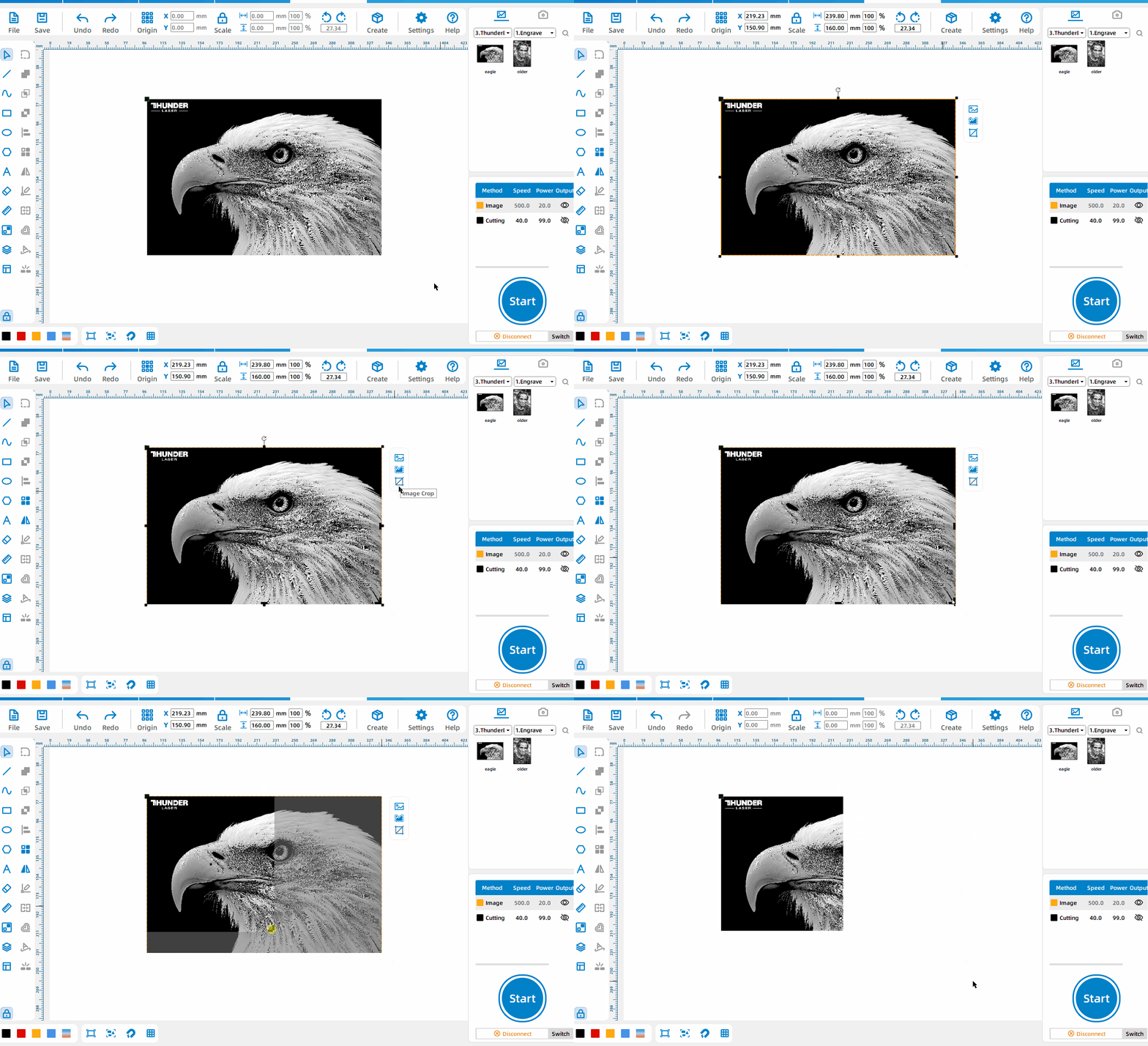
Left-click the image, select [画像作物], and drag the black edge to change the image size.


 安定性と一貫性に優れたマシン幅広い用途充実したアフターサービス工場直販